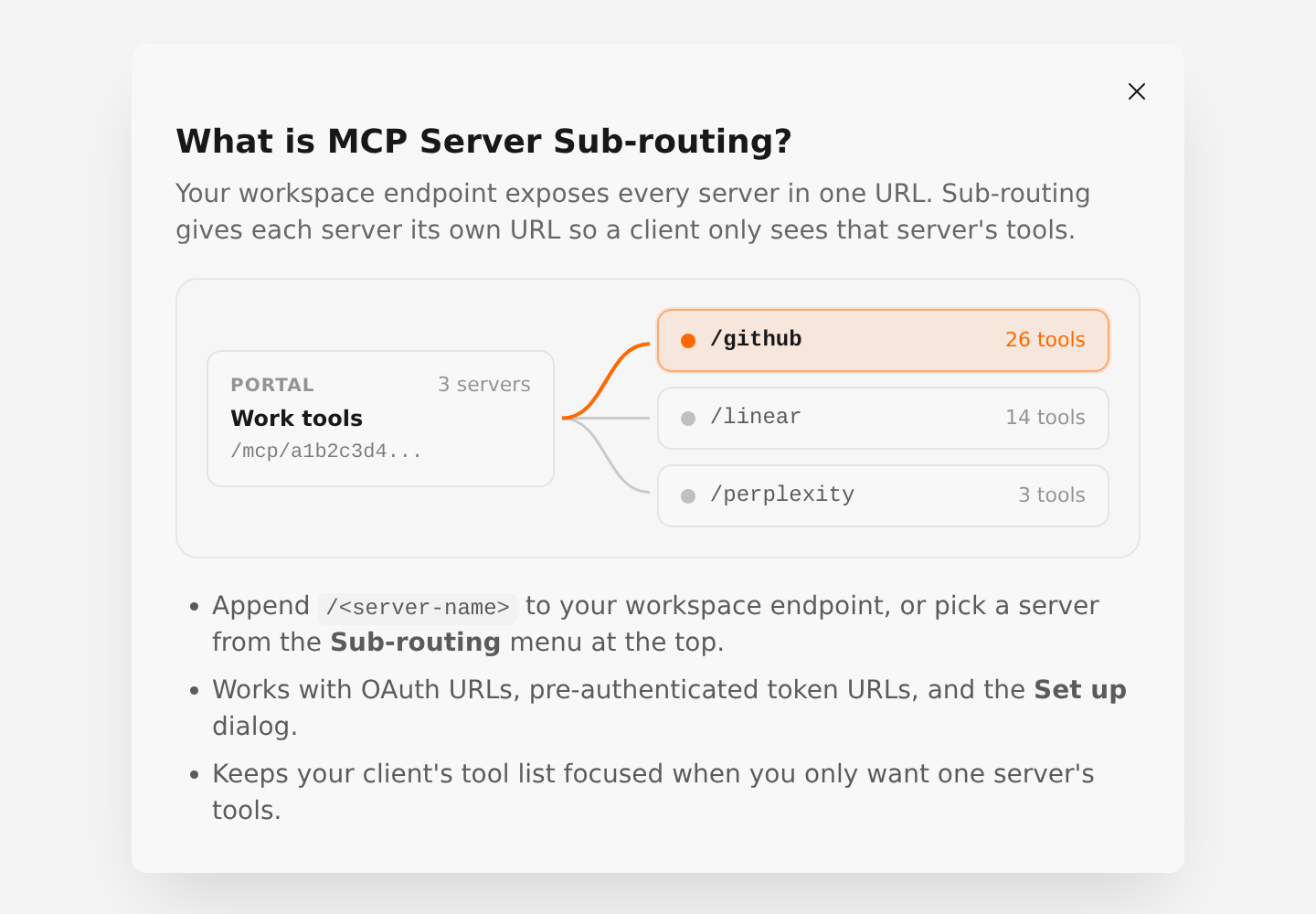
A deployed MCP Nest workspace gives you one MCP endpoint that exposes every server in that workspace. That is convenient when you want one client to reach all of your tools at once, but sometimes you want a client or agent to see only a single server.
MCP server sub-routing gives each server inside your workspace its own endpoint URL. You keep running everything in one deployment, and each sub-route exposes only that server’s tools.
Pick a server from the MCP endpoint bar
Once your workspace is deployed, open it and look at the MCP endpoint bar at the top of the page.
- Click the Sub-routing button next to the endpoint URL. An overlay opens showing your workspace on the left and each server in the workspace on the right.
-
Click any server (for example,
/github) to switch the endpoint URL to that server. - Click Copy, or open Set up to add that single-server URL directly to Claude, Claude Code, or ChatGPT.
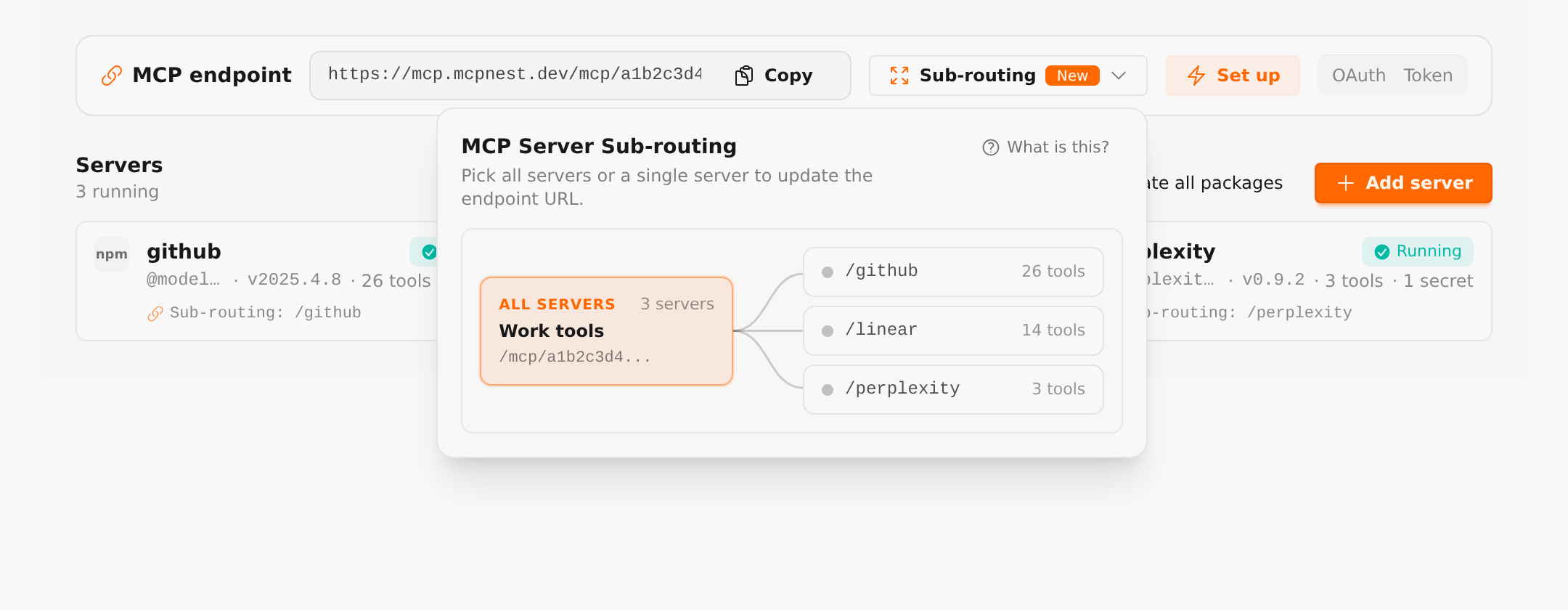
Selecting a server updates the URL in the MCP endpoint bar immediately, along with both the OAuth and Token tabs and the Set up dialog. To go back to the full workspace endpoint, open the menu again and click All servers.

You can also click What is this? inside the overlay or inside any server’s editor panel at any time to open the routing illustration.
Copy a sub-route from a server card
Every running server card in your workspace shows its sub-route path (such as Sub-routing: /github). Clicking a server card opens the server editor, which includes a compact MCP Server Sub-routing section where you can switch between OAuth and Token URLs and copy that server’s URL directly.
Sub-route URL format
Sub-routing appends the server’s name to your workspace endpoint:
-
OAuth (Streamable HTTP):
https://mcp.mcpnest.dev/mcp/<workspace-id>/<server-name> -
Pre-authenticated token:
https://mcp.mcpnest.dev/mcp/<workspace-id>/<server-name>?token=<your-token> -
Legacy SSE:
https://mcp.mcpnest.dev/mcp/<workspace-id>/<server-name>/sse
If a server name contains characters that need URL encoding (such as spaces), MCP Nest encodes them automatically when you copy the URL from the dashboard.
What a sub-route exposes
When a client connects through a sub-route URL:
-
tools/listreturns only tools from that server. Tools from other servers in the workspace and built-in workspace tools are excluded. -
tools/callaccepts only tools belonging to that server and rejects calls to tools from other servers. - Per-tool toggles you configured in the dashboard still apply to tools on that server.
Server naming constraints
Sub-routing uses the saved name of the server in your configuration. A few names are reserved by the transport paths and cannot be sub-routed:
-
sse -
messages -
.or.. -
Any name containing
/
If a server uses one of those names, rename it, save, and deploy to enable sub-routing for it.
Sub-routing vs. multiple deployments
Use sub-routing when you want to manage and deploy your servers together in one workspace, while giving specific clients a focused view of one server.
Use multiple separate deployments when you need separate secrets, separate billing or lifecycle boundaries, or full container isolation between groups of servers.