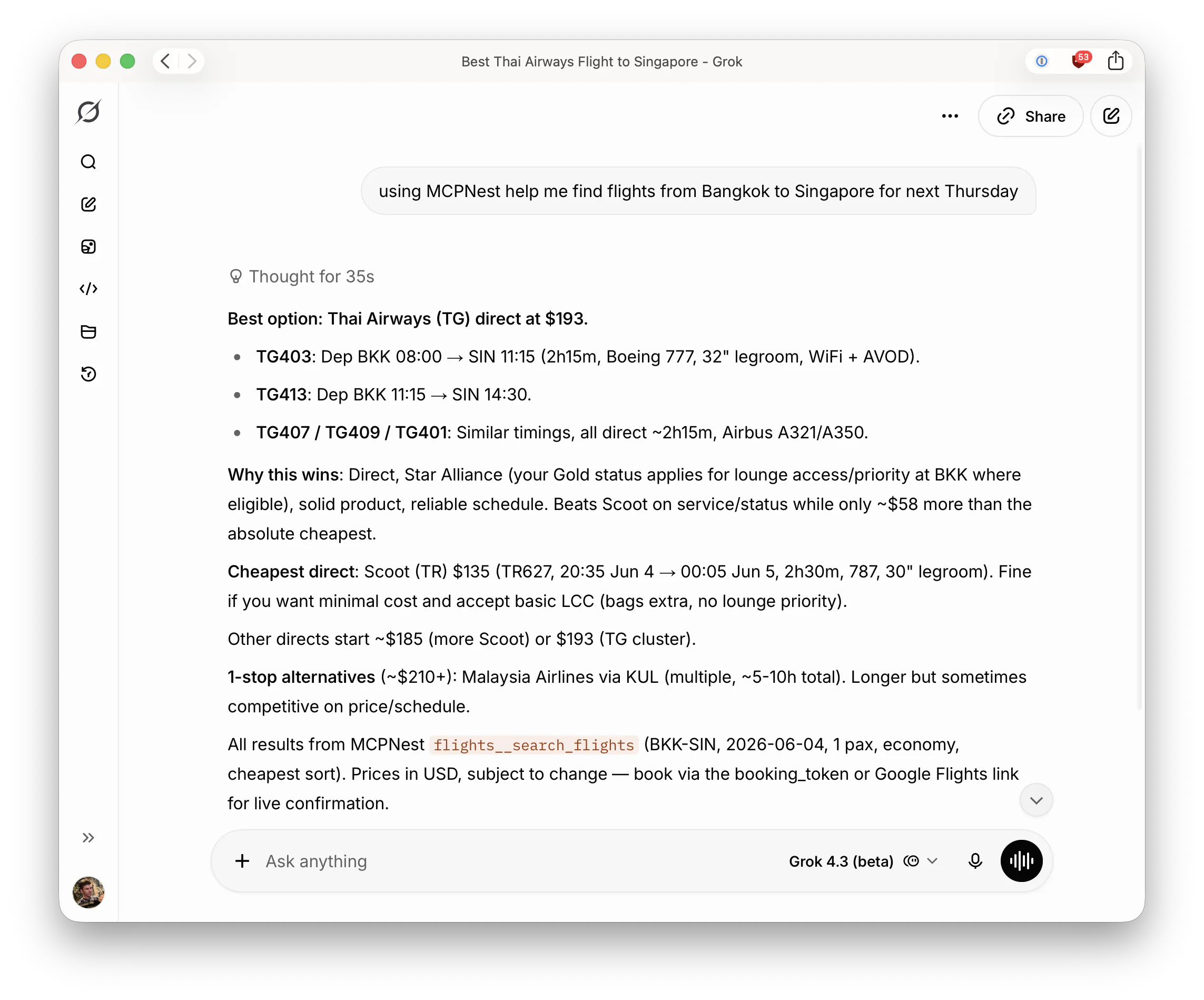
Want to integrate Google Flights into ChatGPT, Claude, Perplexity, or Grok? Using MCP Nest you can connect the flights[mcp] server (from punitarani/fli) and give your AI direct access to live flight search, prices, and schedules. No API keys required.
What is MCP Nest?
MCP Nest is a lightweight hosting service for Model Context Protocol (MCP) servers. It takes stdio-based MCP servers and exposes them securely over the internet so you can connect them directly to ChatGPT, Claude, Perplexity, Grok, or any other MCP-compatible LLM.
This guide shows you how to deploy the flights[mcp] server on MCP Nest as a stdio server using uv so you can use Google Flights inside any supported AI assistant.
1. Deploy flights[mcp] on MCP Nest
In your MCP Nest dashboard, click Create MCP Deployment and configure:
-
Package manager:
uv -
Package:
flights[mcp](punitarani/fli) -
Entrypoint / Command:
fli-mcp -
Transport:
stdio
![MCP Nest configuration for the flights[mcp] server](/images/guides/flights-mcp-config.png)
No environment variables or arguments are needed. The server works out of the box.
Click Deploy. MCP Nest will install the package via uv and start the stdio server, exposing it securely to your connected AI clients.
2. Connect to your AI assistant
Once deployed, copy your MCP Nest endpoint and add it to your AI assistant:
- ChatGPT (Developer Mode connectors)
- Claude (Desktop or custom connectors)
- Perplexity
- Grok
The flights__search_flights tool will appear automatically.
3. Ask about flights
Examples:
- “Find the cheapest nonstop from BKK to SIN next Thursday”
- “Best Thai Airways flight to Singapore with lounge access?”
- “Compare Scoot vs Thai Airways on price and schedule for June 4”
The tool returns live prices, schedules, and direct Google Flights booking links.
Why this is useful
Instead of switching tabs to google.com/flights, your AI can now look up, compare, and reason about real flights in the same conversation, all powered by the same data you’d see on Google Flights.
Ready to try it? Head to mcpnest.dev and deploy flights[mcp] in one click.